In the walk through, let's see how a user can append First Name and Last Name. For this, the user has to follow the following steps:
All User Defined Functions have to be followed with the header "//@UserDefined" for DBSync to recognize it as User Defined Function. When done so, it is populated in the UserDefined list of the "Mapping page".
- User has to login to DBSync ipaas and navigate to Functions page.
- Click on New Function. This will navigate a User to a Function Creation screen.
- Name a Function of his/her choice and define the Function in the space provided.
- Click on Save to save the User Defined Function.
Following screenshot illustrates creation of a Function:
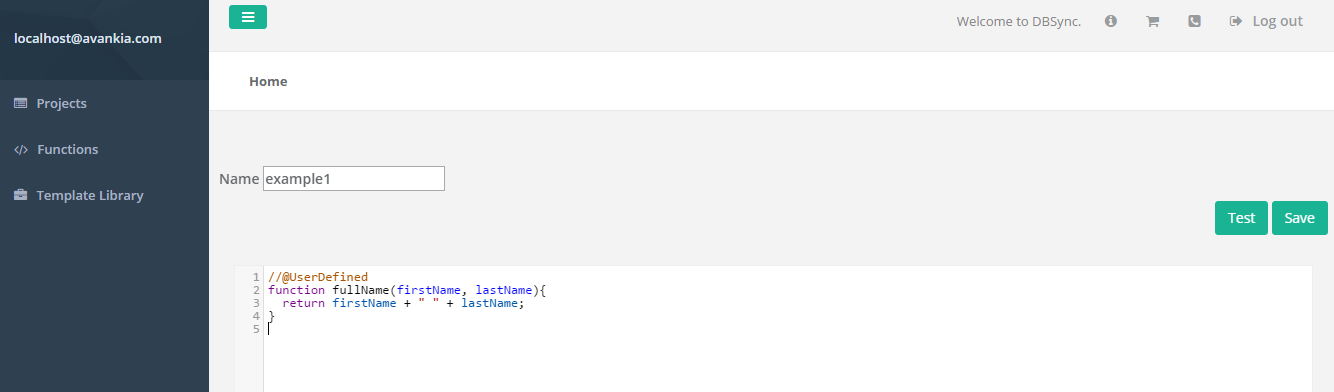
Use the following Code snippet to test the concept:
//@UserDefined
function fullName(firstName, lastName){
  return firstName + " " + lastName;
}
function fullName(firstName, lastName){  return firstName + " " + lastName;
}
