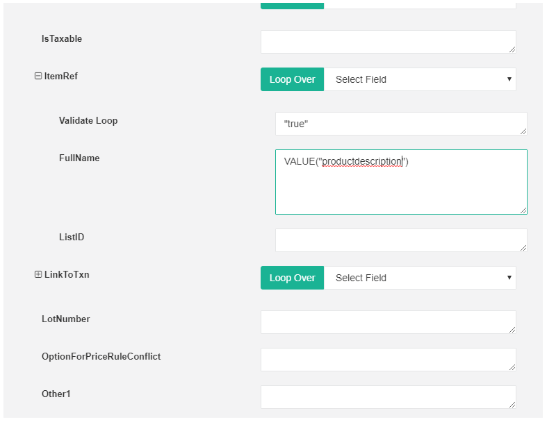
Two different types of products can be mapped to invoice with different API names
Existing product: which is already created under products
Write in the product: which is not present in the product list but created at the instant when the invoice is created.
Creating a write-in product: Go to invoice->create new invoice-->under add product section choose it as write-in product and create new product there itself.
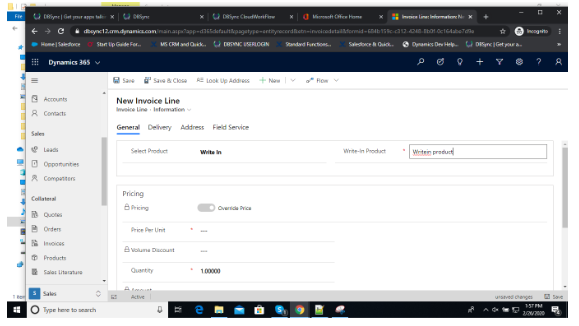
Mapping the write-in product API name in DBSync mappings: Go to form editor →

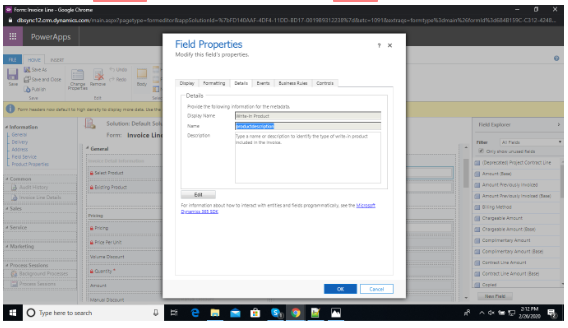
Click on the write-in product field -->Click on details to copy the API name
Mapping: Go to invoiceline mappings-->under itemref→fullname=VALUE(“productdescription”)