Installing On-Premise version of DBSync
- Open www.mydbsync.com from your browser and click on Customer Login.
- Login to your DBSync profile by entering your DBSync Username & Password.
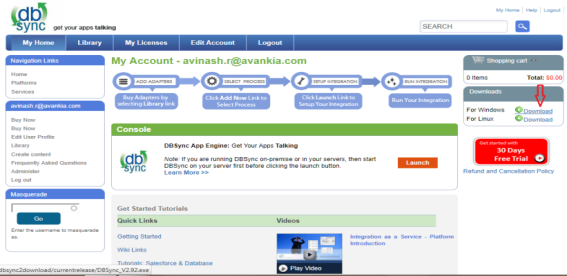
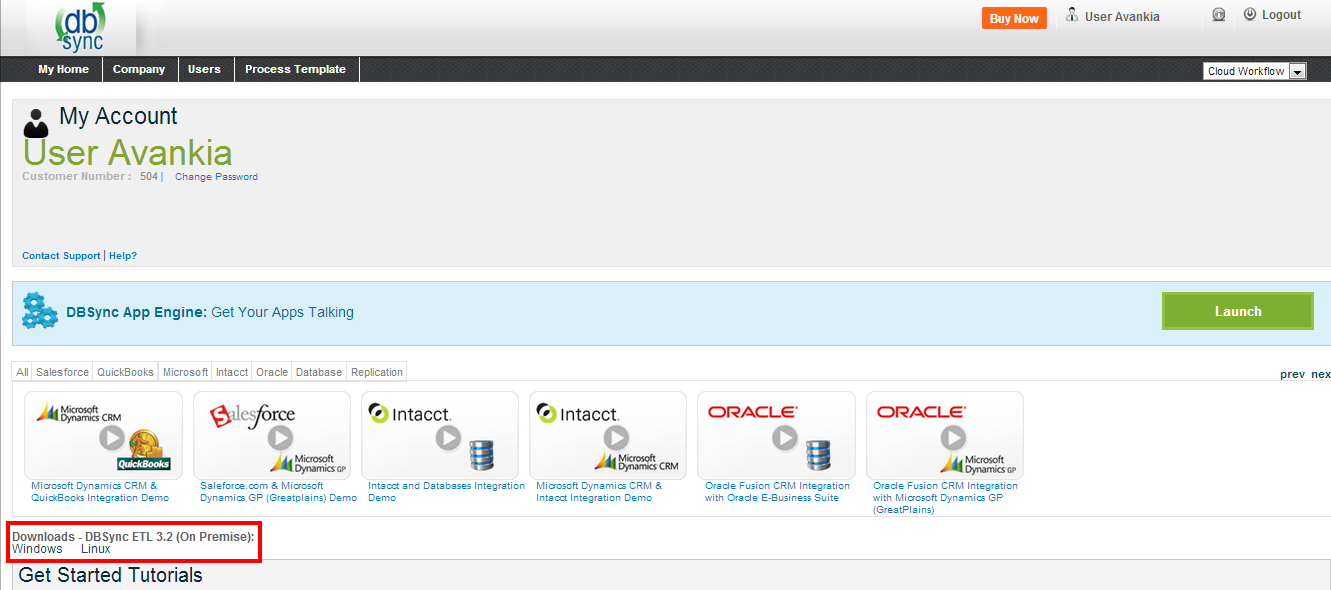
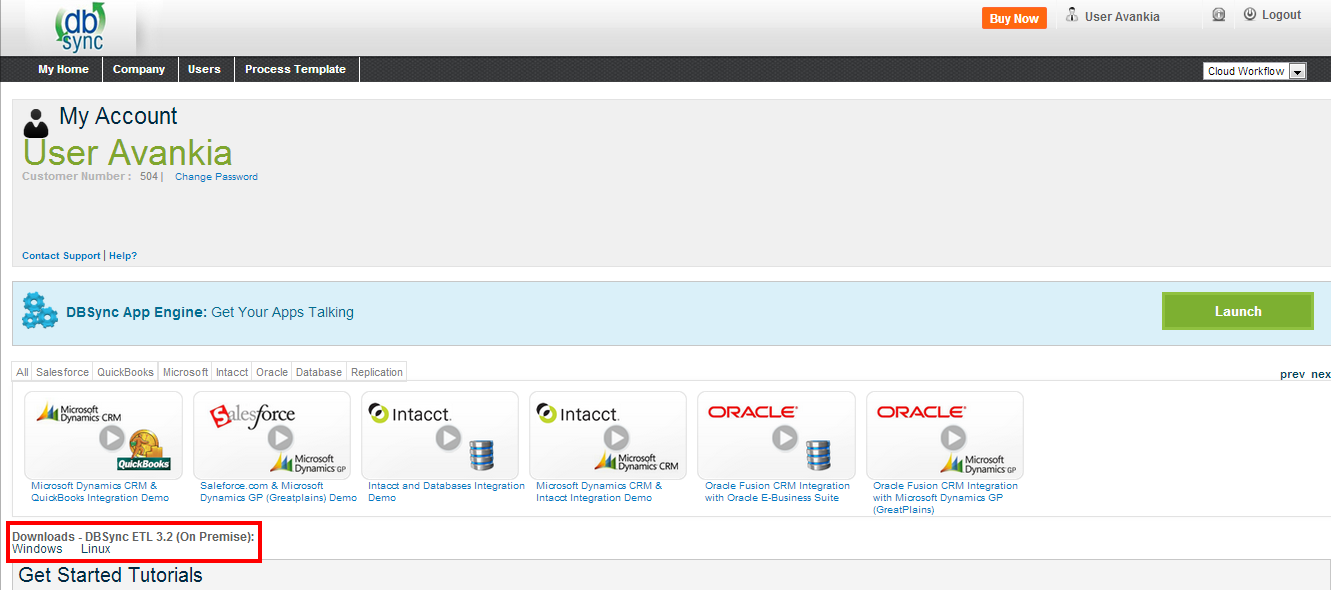
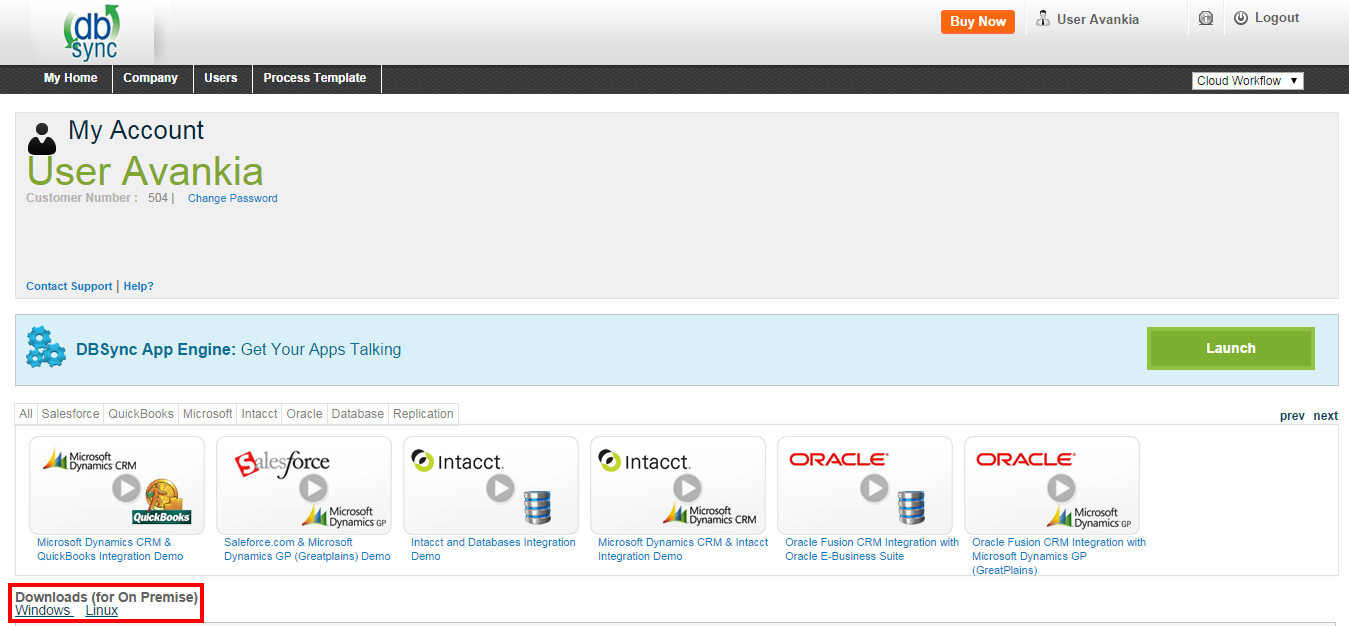
- Once logged in, go to the Download section for Windows and Linux link.
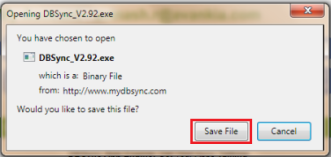
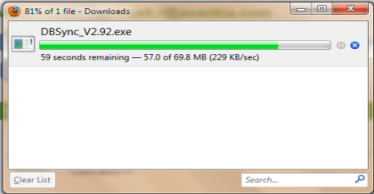
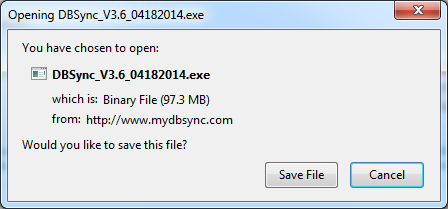
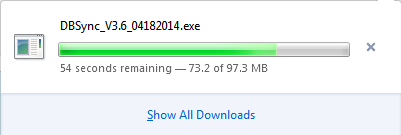
- Download the DBSync application by clicking on the Download link as shown.

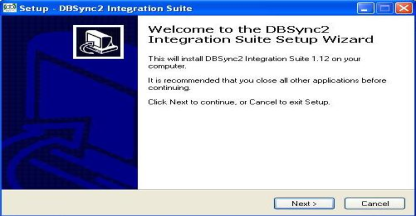
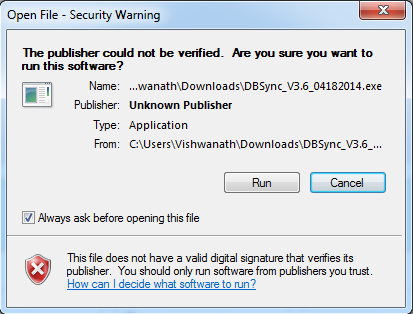
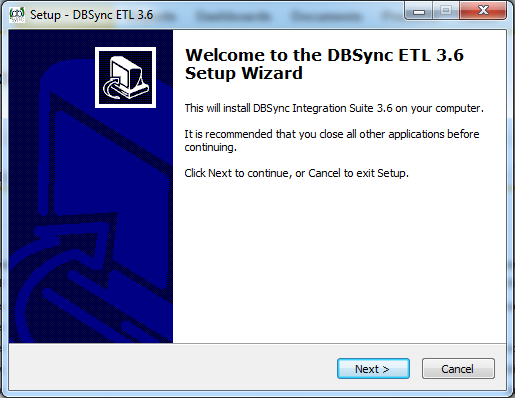
- Double-click DBSync_VXX_XXX.exe to start the installation. The "_Welcome to the DBSync Cloud Workflow 4.8 Setup _Wizard" displays:
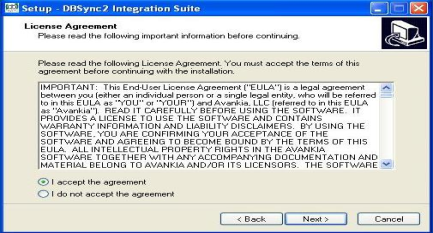
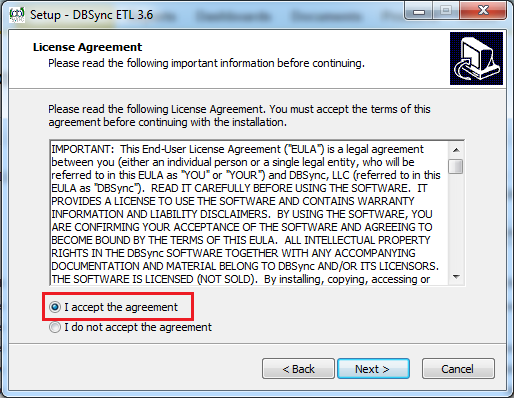
- Select "I accept the terms of the license agreement" and click Next.
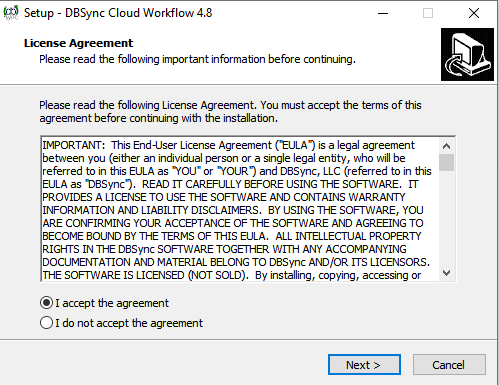
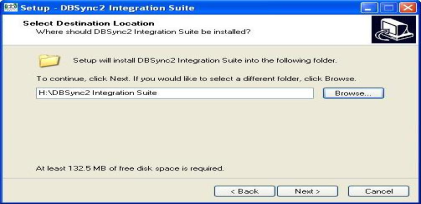
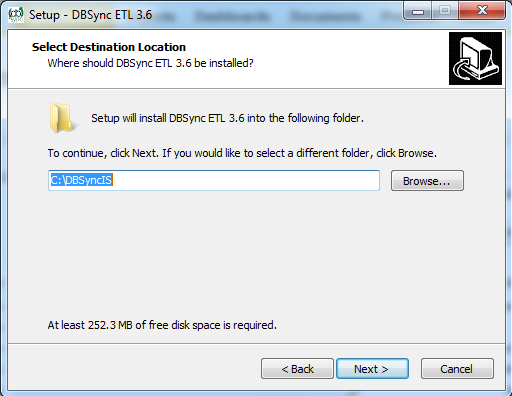
- Click Next to use the default directory for installation.
- If you want to install DBSync in a different location, then click Browse and specify the location.
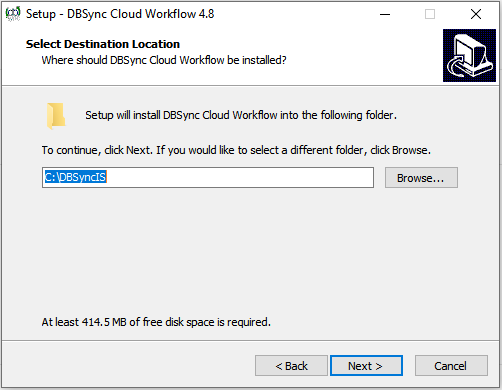
Note: The minimum free disk space required to install DBSync Cloud Workflow 4.8 in your system is 179 MB.
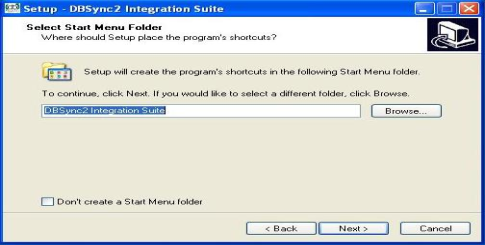
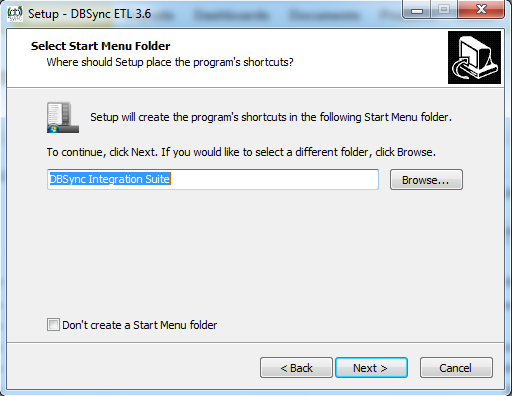
- Click "Next" to use the default directory from the start menu folder.
- If a user wants to select a different start-up DBSync Cloud Workflow 4.8 folder then, click "Browse" and specify the folder.
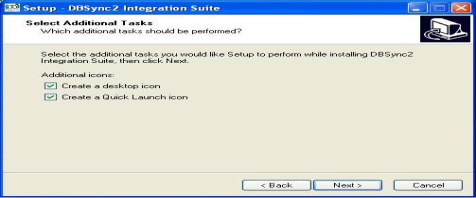
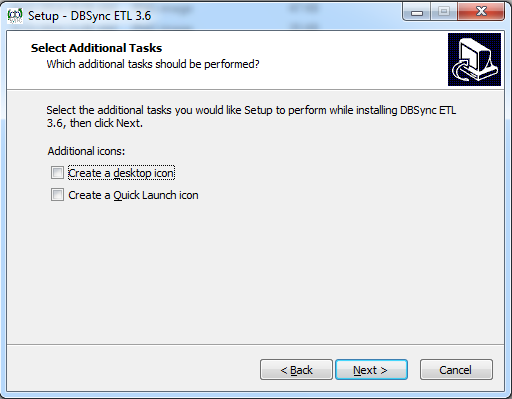
- Select an additional icon checkbox to create the " Desktop " and " Quick Launch " icons.
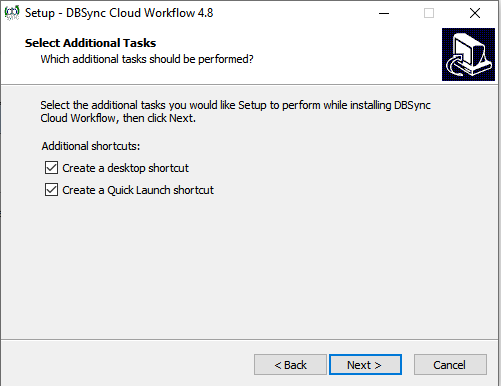
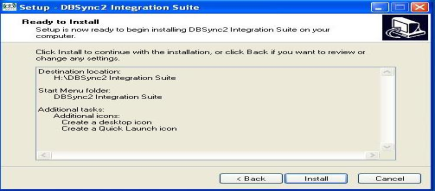
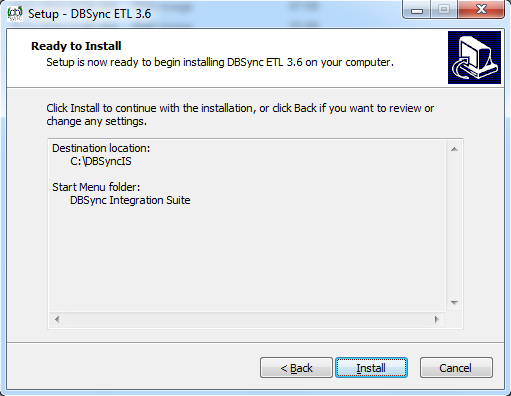
- Click Next. The 'Ready to Install' Wizard displays. You can view the installation destination location, folder and additional tasks you have selected.
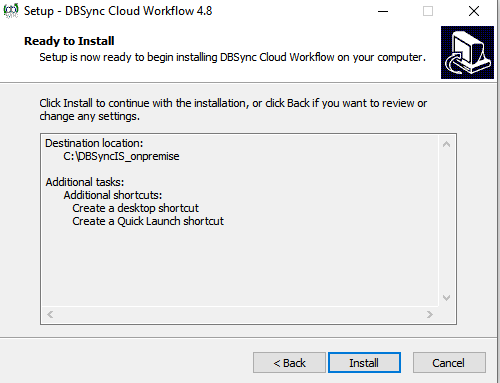
- Click Back to review; or, to make any changes.
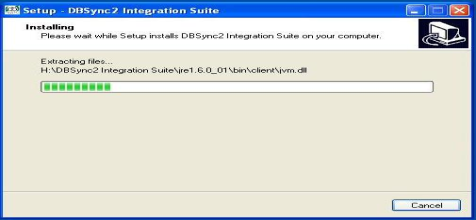
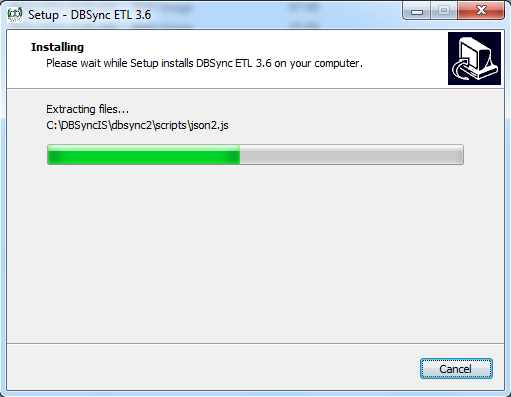
- Click Install to continue with the installation. The Installing Progress wizard displays the progress of installation as the files are being copied.
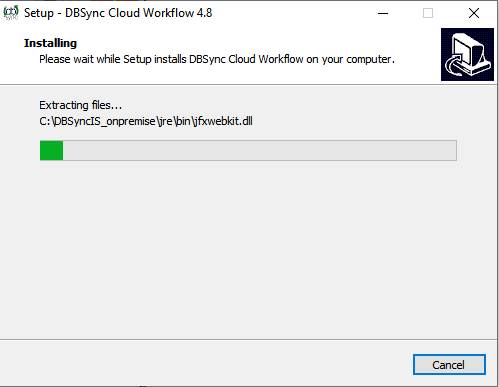
- Click Cancel to stop the installation. Or else, the installation completes without any interruption.
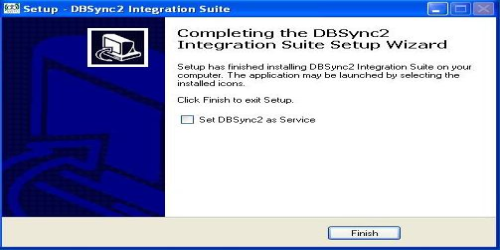
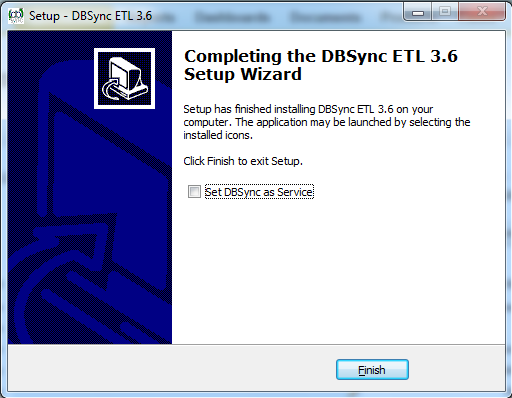
- DBSync Cloud Workflow 4.8 Completing Integration Suite Setup Wizard displays the status of the installation.
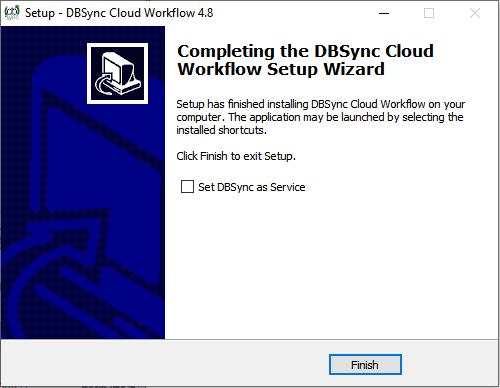
Note: You can also use DBSync as a service by placing a checkmark in the checkbox - as shown above.
- Click on Finish to complete the installation of On-Premise DBSync.
Attachments:
 worddav1f2ee96e3246c4a01cad0af327821120.png (image/png)
 worddavf3871669c45151f061cea834c8d89f7d.png (image/png)
 worddav0c0f1e084c57b48f7567b3dfb250029e.png (image/png)
 worddav00cc5fd1e9c0cee414c0c8bae628da4b.png (image/png)
 worddav7f760fffdc00f305d8c096bd4bed546f.png (image/png)
 worddavd5b156e98ead189a249c9c3f1a134ef3.png (image/png)
 worddavca4800aa1824f96d73a05c2498ae6c99.png (image/png)
 worddav74836cd958706541e80dddcd77a6b75c.png (image/png)
 worddavc89f6a773aa27eb7f3c41e2652bef370.png (image/png)
 worddavefba50b6b4ebf8302cfdab29345675d2.png (image/png)
 worddavb46508bb9e896c61a88fa4a74699b388.png (image/png)
 worddav7f79bb47e2260e17be8addea3c6f67af.png (image/png)
 worddav6266c2f83d054d6689042e0c9b1b849c.png (image/png)
 worddavce04fcca895f2c3f010356ad8307cdba.png (image/png)
 worddavbdda1eedf5d6f8beefe2e4e02f705089.png (image/png)
 worddavdf0f5abfbf3dd919e5b16f62a690a716.png (image/png)
 worddav448c3fd9c31d2735acd4bdf7c056b4e9.png (image/png)
 worddav83784b275cc3fe8fcf3912c45375b0ff.png (image/png)
 worddavb709e121954d9fcdecda51dc317515eb.png (image/png)
 worddavecc6743d23ea8376cff216d0cdb77b8f.png (image/png)
 worddavc56af3f6138cc85a2177031b64789ff5.png (image/png)
 worddav02cb487f8742f5e61db2f822f859e687.png (image/png)
 worddavcff6b698f5ae009b378c5f96b6d724d4.png (image/png)
 worddav07e3cdfc3d6772014d80c4233929667c.png (image/png)
 worddave7ed6ad1284ce61525f903427dd1e2bc.png (image/png)
 worddav2c8a80d16f2c5e63f95eadb740c3325a.png (image/png)
 worddav7507b53be4d7c64d87cbbd91a7bf9e62.png (image/png)
 worddav9337e2c94f8ac6922f2ce4abecb5d22a.png (image/png)
 worddav01075c867301005e6d44e60f73efbd92.png (image/png)
 QBpath.jpg (image/jpeg)
 DBSync.png (image/png)
 DBSync.png (image/png)
 On Premise Installation.png (image/png)
 1.png (image/png)
 2.png (image/png)
 3.png (image/png)
 Chrome installation 3.png (image/png)
 Chrome installation 4.png (image/png)
 Chrome installation 5.png (image/png)
 Chrome installation 6.png (image/png)
 Chrome installation 7.png (image/png)
 Chrome installation 8.png (image/png)
 Chrome installation 9.png (image/png)
 Chrome installation 10.png (image/png)
 On Premise setup1.PNG (image/png)
On Premise setup2.PNG (image/png)
On Premise setup3.PNG (image/png)
On Premise setup4.PNG (image/png)
On Premise setup5.PNG (image/png)
On Premise setup6.PNG (image/png)
On Premise setup1.PNG (image/png)
On Premise setup2.PNG (image/png)
On Premise setup3.PNG (image/png)
On Premise setup4.PNG (image/png)
On Premise setup5.PNG (image/png)
On Premise setup6.PNG (image/png)