Testing Your Function
To test a User Defined Function, it has to be accompanied by a method generally started with header "//@Test". The user must save the created Function before testing it.
The following code snippet shows the Test method required to test the previously created Append Function.
 //@Test
function testFirstAndLastName(){//@Test
function testFirstAndLastName(){
  var firstname = "Xxxxxx";
  var lastname = "Yyyyy";
  addFirstAndLastNames(firstname, lastname);
}  var firstname = "Xxxxxx"; var lastname = "Yyyyy";  addFirstAndLastNames(firstname, lastname);
}
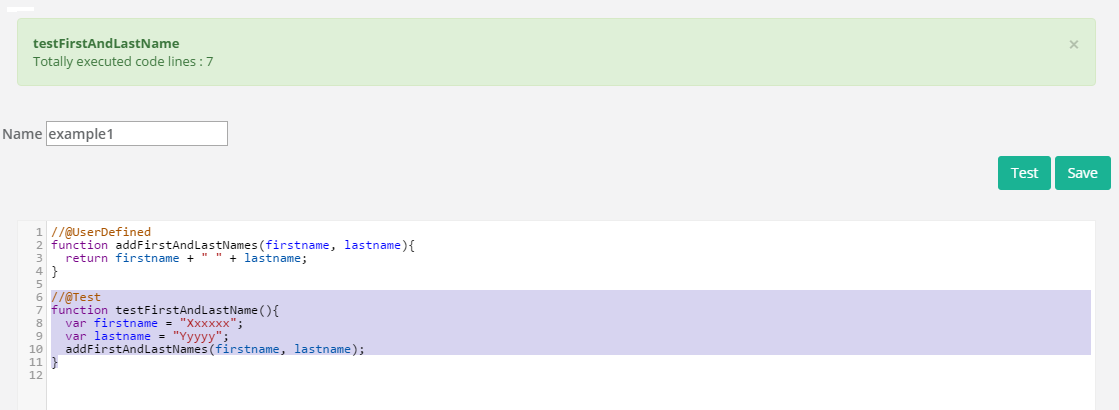
The following screen shows the User Defined Function along with Test method required to execute it.
- After writing the Test method, immediately after the UDF, it is best practice to Save. The Save button is located at the top right corner of the page .
- Here, a user is prompted to select the available Test Methods in a pop-up. As a result, s/he can select the appropriate name and click on "Run Tests" button.
- Finally, the number of code lines executed is shown on the Top ribbon.